1
You stay in control
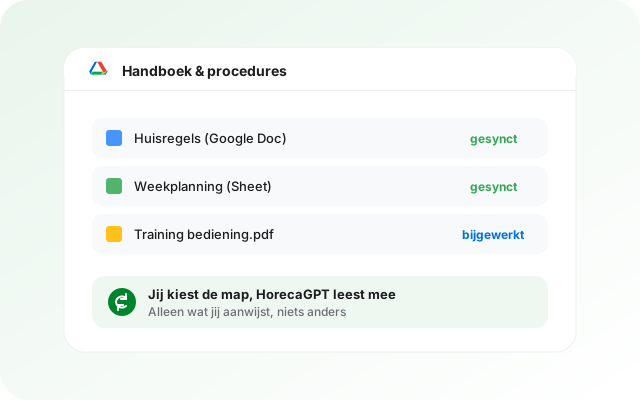
You pick files with the familiar Google picker. HorecaGPT cannot browse your Drive and only ever sees what you pointed at.
 HorecaGPTThe AI brain that knows all your numbers.
 TableFlowBookings, gift cards, reviews, sales and marketing.
 KitchenOpsRecipes, costings, invoices and HACCP.
 Guest POSThe cloud POS for restaurants, cafés and events.
 HostCrewRotas, clocking in, hours and HR.
 TheNextReviewGuest feedback before it goes online.
Working in Google Docs and Sheets? Point at the files that matter and your team gets answers straight out of them, without ever opening a folder.
 ×
×Handbooks in Docs, rotas in Sheets, training as PDFs. Easy to create, hard to find at the exact moment someone on the floor needs it.
HorecaGPT reads the files you select and turns them into searchable knowledge. Google Docs, Sheets and Slides are converted automatically, so they join in like any other file.
You pick files with the familiar Google picker. HorecaGPT cannot browse your Drive and only ever sees what you pointed at.
Update a Doc and the knowledge follows automatically. Your team never gets an answer from an outdated version.
Per folder or file you decide which roles have access, including in the assistant's answers.
Files from Drive are recognisable in your document list, and per source you see how much was read and when it was last updated.
Your team asks a question and gets the answer from your Docs and Sheets, with the source attached, even when the question is asked in a different language than the document was written in.
No. You select files or folders through the Google picker. Only those are read; the rest of your Drive stays invisible to us.
Yes. Docs, Sheets and Slides are converted automatically into readable text, just like regular files.
The integration checks for changes regularly and updates the knowledge automatically.
Only if you enable write-back, and not for Google's own formats. You edit Docs and Sheets in Google itself and the integration follows that change.
You disconnect it in your settings. Nothing is read after that.
In a 15-minute demo we connect your Drive and you ask your first question right away.
Google Drive and the Google Drive logo are trademarks of Google LLC. HorecaGPT is not affiliated with or sponsored by Google LLC; the logo is shown only to identify the integration with Google Drive.